Xbox Storage Expansion Card vs USB Drive: What Can Run Where
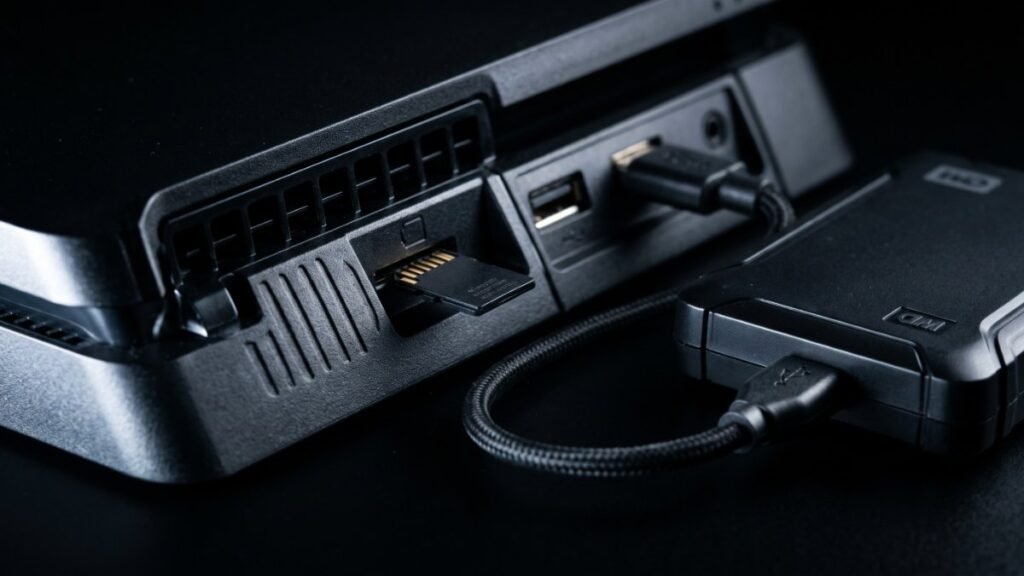
On Xbox Series X|S, the Storage Expansion Card can play everything, including games optimized for Xbox Series X|S. A USB drive can store those games but cannot run them. It can only play Xbox One, Xbox 360, and original Xbox games. That is Microsoft’s own rule, and it decides which one you need.
So if you want more room for new Series X|S games, the expansion card is the only official option besides the internal SSD.
What can run where
| Game type | Internal SSD | Storage Expansion Card | USB external drive |
|---|---|---|---|
| Optimized for Xbox Series X|S | Store and play | Store and play | Store only |
| Xbox One games | Store and play | Store and play | Store and play |
| Xbox 360 and original Xbox games | Store and play | Store and play | Store and play |
Microsoft says the expansion card “performs identically” to the internal SSD. GTA 6 is a Series X|S-only release, so plan to run it from the internal SSD or an expansion card.
Storage Expansion Card basics
- Sizes: 512GB, 1TB, or 2TB.
- Works only with Xbox Series X|S, not Xbox One or Windows PCs.
- Plugs into the Storage expansion slot on the back of the console.
- Take your console’s first system update before you connect it.
- You can move it between Series X|S consoles. Sign-in or the game disc is needed to play.
When you plug it in the first time, you choose whether it is mainly for this console or for several. Picking one console lets it check for game updates automatically.
USB drive requirements
- The drive must hold 128GB or more.
- It must connect over USB 3.0 or 3.1.
- When you plug it in, Xbox asks to format it. Formatting erases everything on the drive.
Drives that do not meet these rules are treated as media storage only. You can attach up to three USB drives at a time. Drives bigger than 16TB are split into partitions.
A smart way to use both
Microsoft suggests a trick that saves bandwidth: keep Series X|S games you are not playing on a USB drive, then copy them back to the internal SSD when you want to play. Copying is usually faster than downloading again, which helps if you have a data cap.
- Press the Xbox button and go to My games & apps > See all > Games.
- Highlight a game, press the Menu button, and select Manage game and add-ons.
- Select the game box at the top right, then Move or copy.
- Pick the items, choose the target drive, and select Move selected or Copy selected.
This is a good way to clear space before a big download. See our GTA 6 file size guide and preload guide to plan ahead.
FAQ
Can I play Series X|S games from a USB hard drive?
No. Microsoft says games optimized for Xbox Series X|S must be installed on the internal SSD or a Storage Expansion Card to play.
Is the expansion card slower than the internal SSD?
Microsoft says it performs identically to the console’s internal SSD.
What size USB drive do I need?
At least 128GB, connected by USB 3.0 or 3.1. Smaller drives are treated as media storage.
Can I use the expansion card on Xbox One?
No. It works only with Xbox Series X|S consoles.
Sources: Xbox Support: Storage Expansion Card, Xbox Support: Manage storage